Font sizes
Font size accessibility is essential in mobile phone apps documentation to ensure that the content is readable and accessible to a wide range of users, including those with visual impairments or low vision.
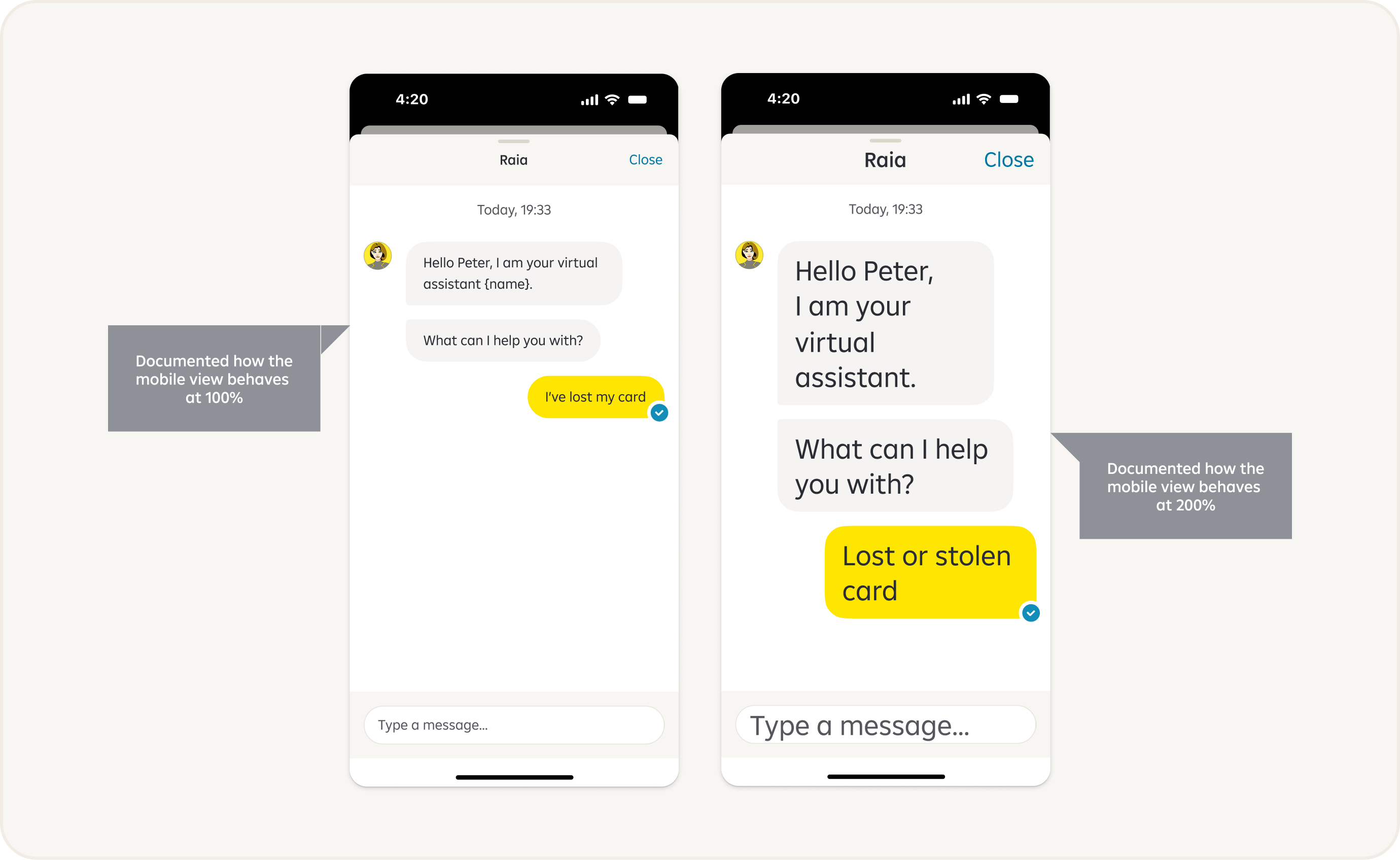
Why Font Size Accessibility Matters
- Readability for Users with Low Vision: Increasing the font size improves readability for users with low vision, allowing them to perceive and understand the information more easily. Enlarged fonts enhance legibility, reduce eye strain, and help users navigate through the documentation comfortably.
- Accessibility for Users with Visual Impairments: Users with visual impairments, including those who use screen readers or screen magnifiers, rely on text-based content to access information. By using an adequate font size, you ensure that the content is compatible with assistive technologies and enables seamless access for individuals with visual disabilities.
- Aging Population: As the population ages, the prevalence of age-related visual impairments, such as presbyopia, increases. By using a larger font size in app documentation, you cater to the needs of older users who may require larger text to read comfortably.
- Consistency with Device Accessibility Settings: Mobile operating systems often provide users with the ability to adjust the system-wide font size settings. By using a reasonable font size in your documentation, you ensure that it remains consistent with the user's preferred settings, making it easier for them to read and comprehend the content.
Alternate Layouts
Ensuring accessibility in font sizes for alternate layouts is crucial to make content, buttons, etc. readable and usable for individuals with varying visual abilities.
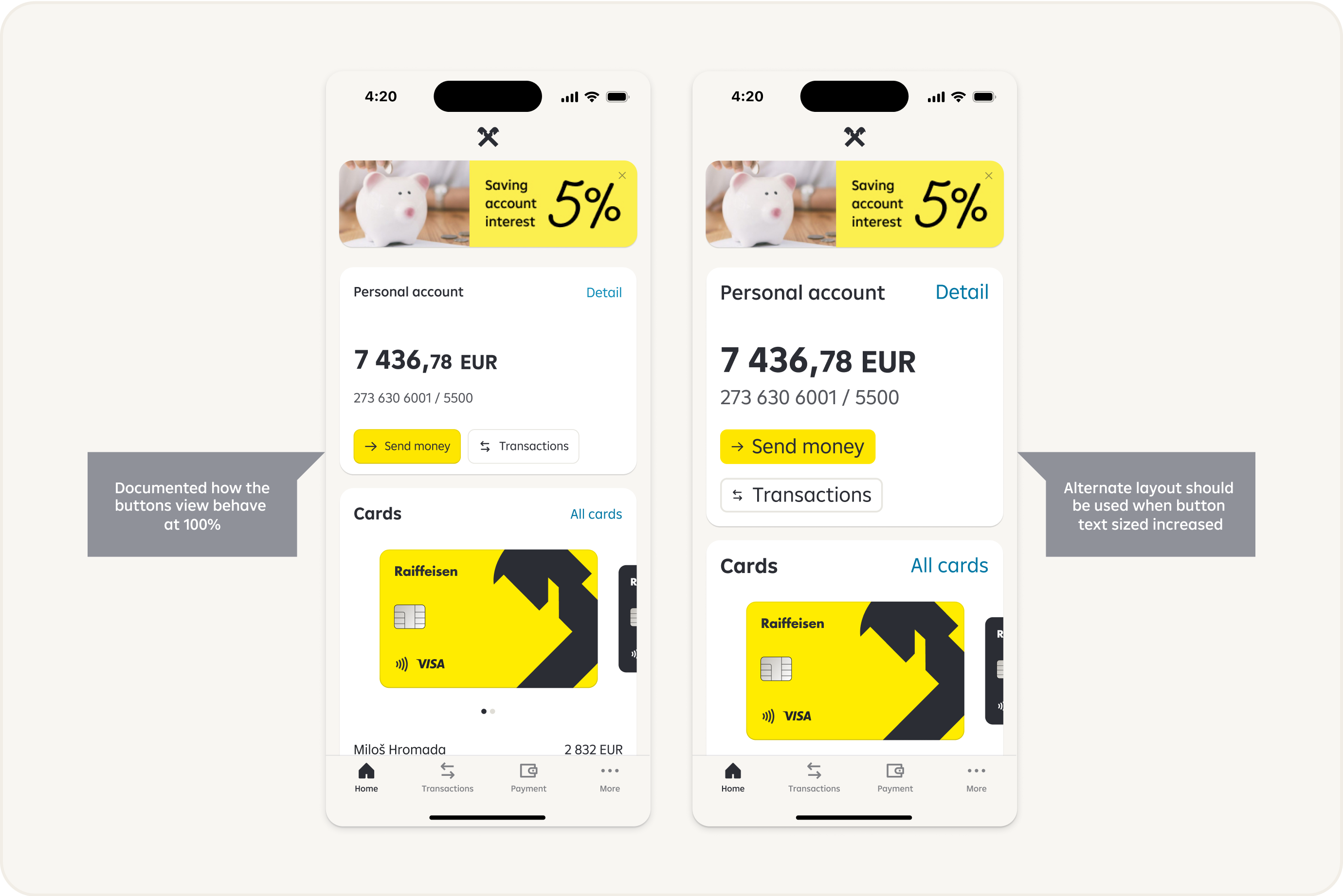
Truncation
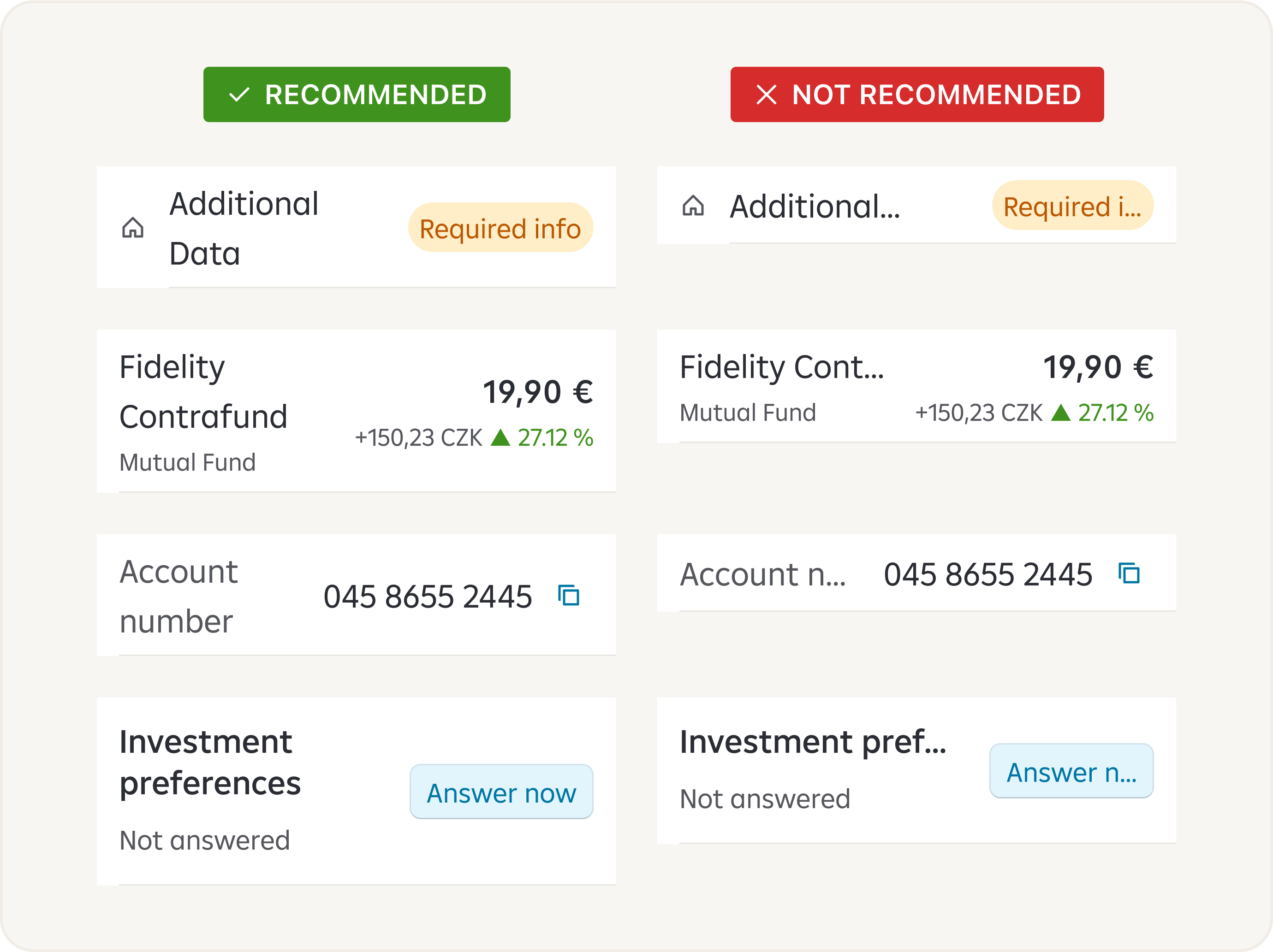
Truncating text can lead to the loss of important information and context, which can negatively impact communication and understanding.
It's generally better to design systems or interfaces that can handle longer texts without truncation. This allows users to access the complete information and minimizes the risk of miscommunication or misunderstanding.
We do not recommend text truncating.
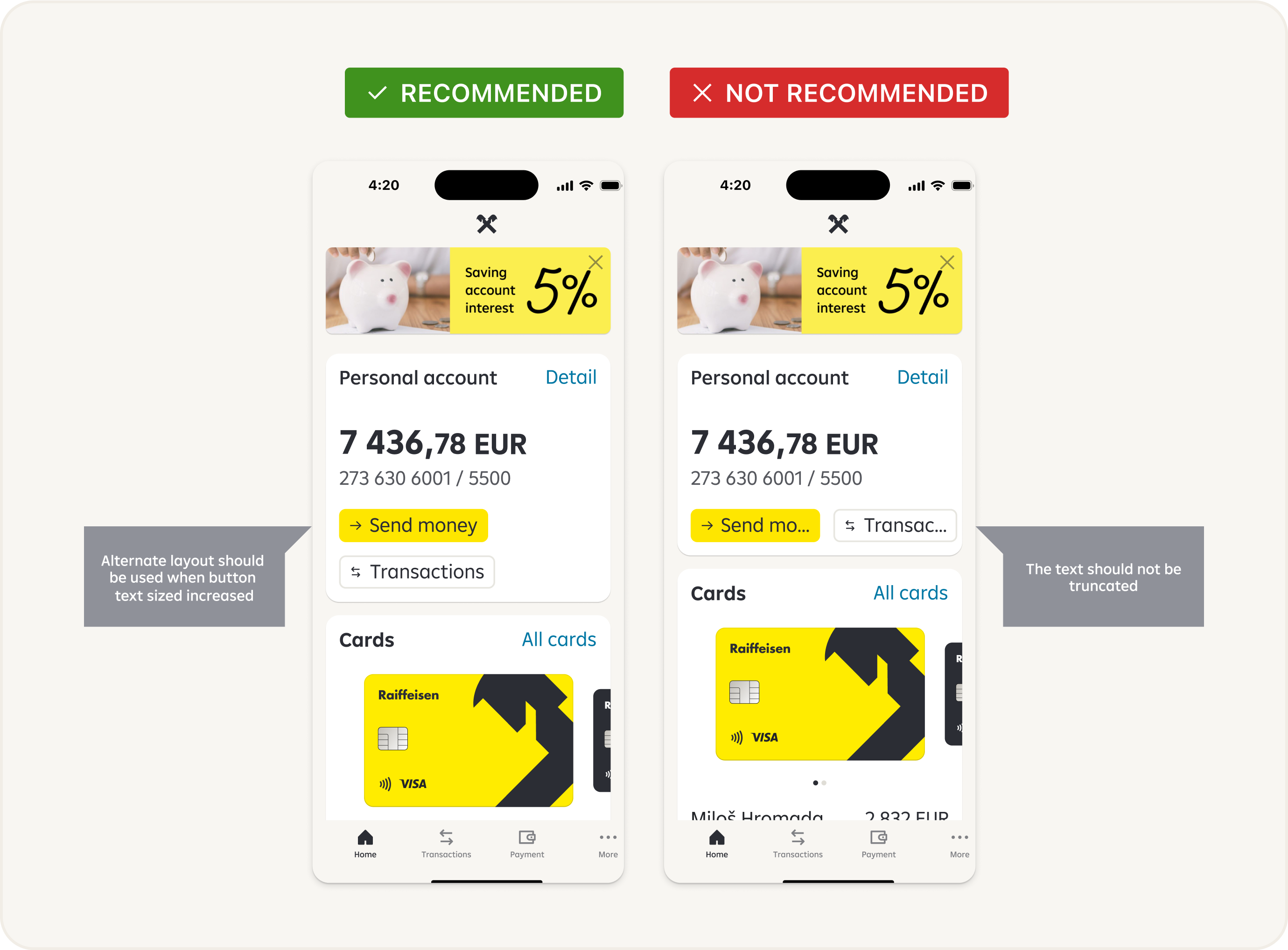
Truncating buttons can lead to the loss of important information and context, which can negatively impact communication and understanding.
We do not recommend buttons truncating.
Recommendations
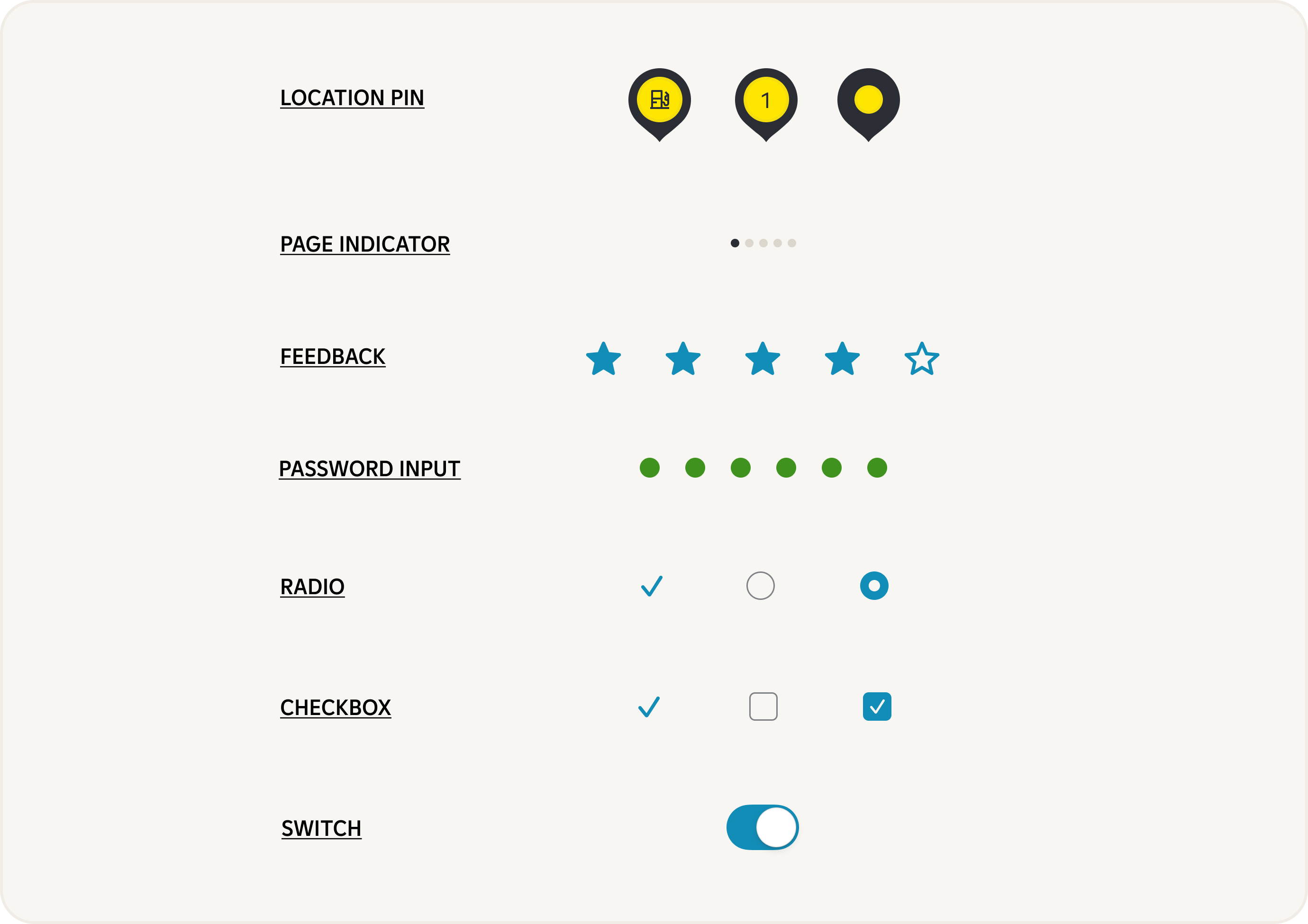
Components where we do not recommend use big fonts:

Components where we do not recommend use big fonts:

Components where we do not recommend use big fonts:
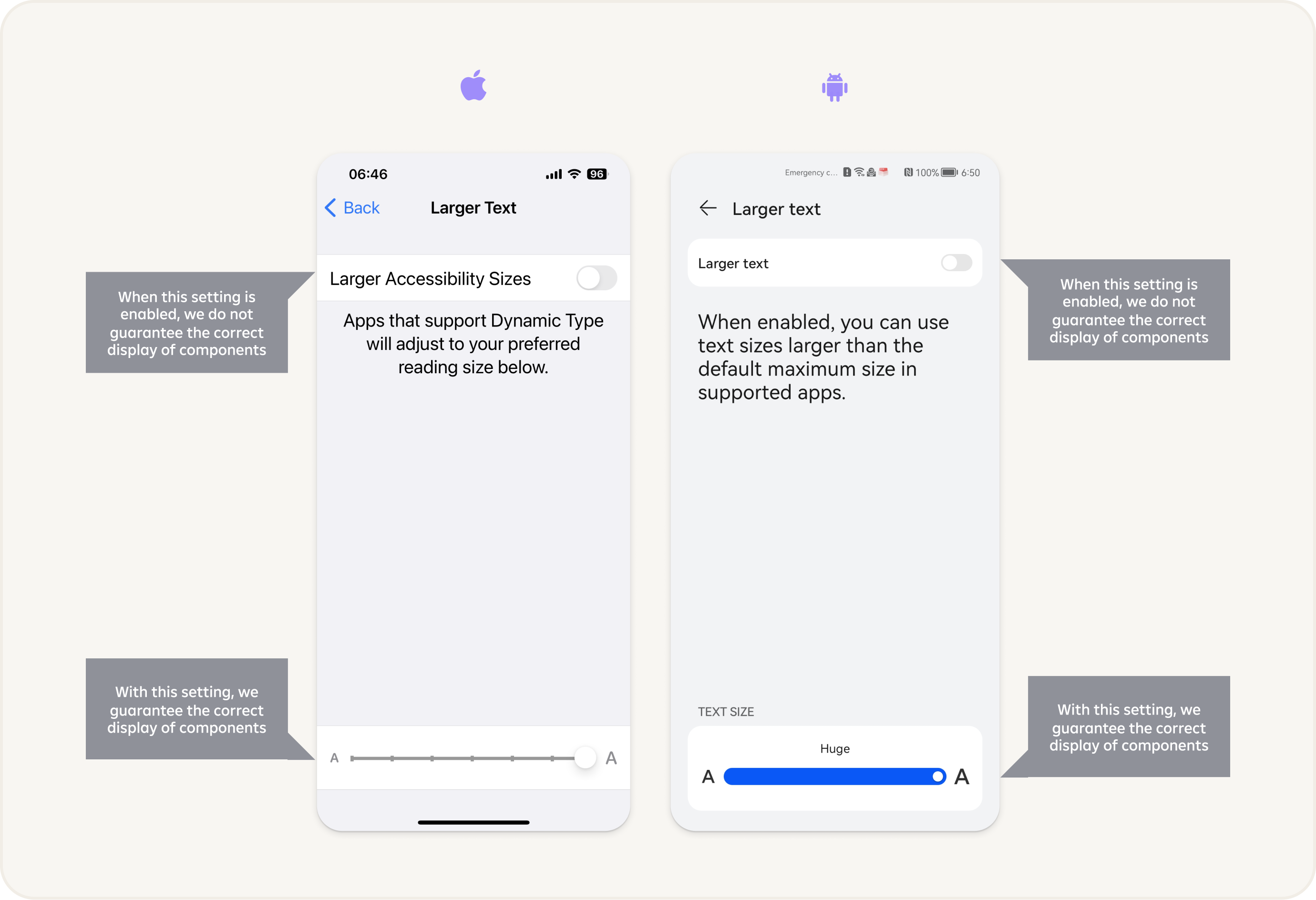
Settings
Accessibility settings for font sizes can typically be found in the display or accessibility section of a device's settings menu. The exact location and terminology may vary depending on the operating system or device you are using.
Conclusion
When determining an appropriate font size for your mobile app documentation, it is recommended to follow established accessibility guidelines, such as the WCAG (Web Content Accessibility Guidelines) 2.1. While there is no specific minimum size defined, a general recommendation is to use a font size of at least 14 points (approximately 12 pixels) to ensure readability for most users.
It's important to note that providing the ability for users to adjust the font size within the app or documentation settings can further enhance accessibility by accommodating individual preferences and needs. By prioritizing font size accessibility in your mobile app documentation, you contribute to a more inclusive and user-friendly experience for all users, regardless of their visual abilities or preferences.